


Introduction: Why Customer Service Efficiency Matters
Modern customers expect instant responses, personalized interactions, and quick resolutions without having to wait. For startups, SMBs, and growing sales teams, this can be a huge challenge.
Using traditional methods to manage calls and leads, like spreadsheets or manual dialing, can cause missed chances. This often leads to delays and unhappy customers.
That’s where Telecalling CRM steps in. By using call management software, auto dialer software, and cloud calling software, businesses can improve customer service. This helps them respond faster and provide a better experience for more customers.
Why Telecalling CRM Is Essential for SMBs and Startups
Customer service is not just about solving problems—it’s about building trust. Most startups and SMBs operate with limited manpower and budget constraints. This makes it harder to manage many calls efficiently. A Telecalling CRM tracks, manages, and records every call, giving businesses a 360-degree view of customer interactions.
Here’s why it matters:
- Faster response times – Automatic dialing reduces waiting and improves first-call resolution.
- Higher productivity – Agents spend less time on manual tasks and more on customer conversations.
- Better lead management – Every inquiry is logged, categorized, and nurtured.
- Scalability – A single platform can support your business growth without needing expensive infrastructure.
- Improved customer retention – Happy customers stay longer, recommend your business, and buy more.
When efficiency improves, customer satisfaction follows.
Main Features of Telecalling CRM for Better Customer Service
A modern Telecalling CRM is more than just a calling tool. It’s a complete communication and lead management system. Let’s break down its core features:
1. Automatic Dialing: Eliminates manual dialing by connecting agents instantly with customers, saving time and effort.
2. Inbound and Outbound Calling: Handles both incoming and outgoing calls from anywhere, making remote and global communication easier.
3. Call Recording and Notes: Keeps a record of all calls and allows agents to add notes for smoother follow-ups and better customer handling.
4. Lead Management System: Stores, prioritizes, and tracks every inquiry to ensure no lead gets lost and follow-ups happen on time.
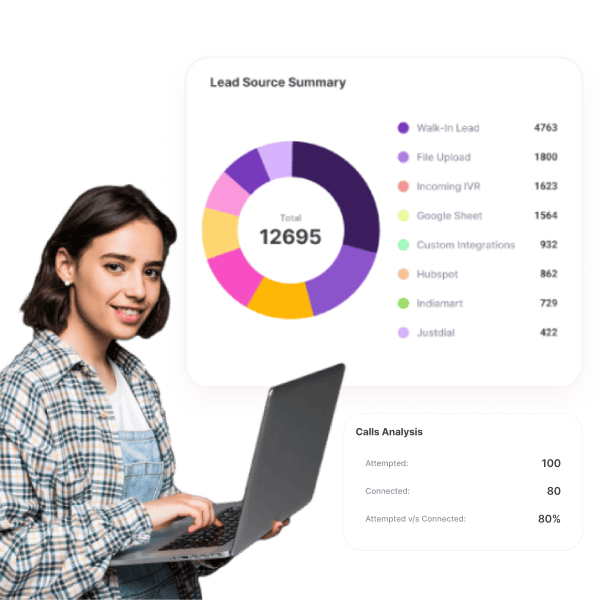
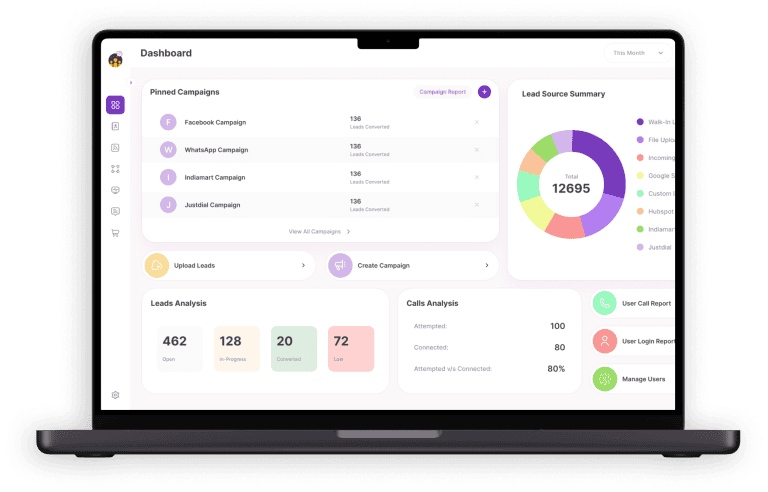
5. Real-Time Reporting: Provides managers with live insights on call volumes, lead status, and agent performance for data-driven decisions.
How Telecalling CRM Improves Customer Service Efficiency
1. Faster Call Handling
Using tools such as auto dialer software, teams can contact a higher volume of customers in a shorter period. This boosts call efficiency and helps businesses handle larger call volumes without increasing headcount.
2. Centralized Customer Data
All interactions—calls, notes, and history—are stored in one place. This helps agents personalize conversations and resolve issues faster.
3. Better Team Collaboration
Cloud calling software enables remote teams to collaborate seamlessly. Managers can monitor calls, guide agents, and ensure consistent support quality.
4. Improved Lead Nurturing
Integrated lead management tools ensure that potential customers receive timely follow-ups. No lead slips through the cracks, and conversion chances increase.
5. Enhanced Reporting and Insights
With a dialer for call center setup, managers gain access to real-time data like call volume, response time, and agent performance. This allows businesses to make data-driven improvements.
Expanded Insights: Additional Benefits of Telecalling CRM
1. Omnichannel Communication Support
Most Telecalling CRM platforms seamlessly connect with multiple channels like WhatsApp, email, and SMS for smoother communication. This ensures customers can connect through the channel they prefer, while agents still manage everything from one dashboard.
2. Reduced Operational Costs
By eliminating the need for heavy phone infrastructure and switching to cloud calling software, SMBs save money while maintaining professional communication.
3. Proactive Customer Engagement
Instead of waiting for complaints, businesses can use CRM data to proactively call customers for renewals, feedback, or upselling opportunities.
4. Training and Quality Assurance
Call recordings stored in the call management software are valuable for training new agents and improving scripts. Managers can review calls and provide real-time coaching.
5. Seamless Integration with CRM & Marketing Tools
A Telecalling CRM often integrates with popular CRMs, email tools, and sales software, allowing businesses to create a unified workflow across departments.
Real-Life Example: A Growing SMB Using Telecalling CRM
Imagine a mid-sized e-commerce startup struggling with hundreds of daily customer inquiries. Before adopting Telecalling CRM, their support team:
- Spent hours manually dialing numbers.
- Lost track of unresolved customer complaints.
- Missed leads due to a lack of a structured system.
After switching to Telecalling CRM:
- Call handling time reduced by 40%.
- Customer satisfaction scores improved significantly.
- Lead follow-up rates doubled, directly impacting revenue.
- Managers used call reports to optimize team performance.
This shows how the right CRM can transform customer support into a growth driver.
Best Practices to Maximize Telecalling CRM
1. Train Your Team – Make sure agents understand how to use automated dialing, call notes, and reporting features effectively.
2. Integrate with Existing Tools – Connect Telecalling CRM with your sales CRM or helpdesk for a unified system.
3. Use Analytics – Regularly track call metrics to spot gaps and improve efficiency.
4. Automate Follow-ups – Schedule reminders and use workflows to ensure every lead gets timely attention.
5. Personalize Conversations – Use stored customer data to create meaningful interactions, not just transactions.
6. Leverage Call Routing – Route high-priority calls to senior agents to improve first-call resolution.
7. Review and Optimize Scripts – Use real data to improve conversation quality and customer experience.
Key Industries That Benefit from Telecalling CRM
While any business handling customer calls can benefit from Telecalling CRM, some industries gain exceptional advantages:
1. Education Institutes and EdTech
- Manage student inquiries, admissions, and course details.
- Track follow-ups with parents and students.
- Use cloud calling software for remote counseling sessions.
2. Real Estate
- Handle property inquiries more efficiently.
- Automate lead follow-ups using auto dialer software.
- Maintain client history for personalized property recommendations.
3. Healthcare
- Schedule patient appointments without delays.
- Manage feedback and follow-up calls seamlessly.
- Improve teleconsultation support with call management software.
4. Financial Services
- Track loan or insurance inquiries.
- Provide instant follow-up on approvals and renewals.
- Strengthen trust by maintaining transparent call records
5. E-Commerce and Retail
- Handle order inquiries, delivery updates, and returns.
- Personalize offers based on customer history.
- Use a dialer for call center to handle seasonal spikes in calls.
Conclusion
Customer service is not just a back-office job anymore. It is now central to customer experience and business growth. With a Telecalling CRM, startups, small businesses, and sales teams can stop using old manual processes. They can use smart automation, improved call management software, and easy cloud calling software instead.
By using tools like auto dialer software and call center dialers, businesses can improve efficiency. They can also build better customer relationships.
FAQ’S
1. What is a Telecalling CRM?
A Telecalling CRM is software that combines calling tools like auto dialer software, inbound/outbound call handling, and a lead management systems to manage customer service and sales more efficiently.
2. How does it improve customer service efficiency?
It saves time with automatic dialing, organizes all customer data in one place, and uses real-time reporting feature to track performance helping teams respond faster and serve customers better.
3. Can Telecalling CRM handle both inbound and outbound calls?
Yes, it supports both. Inbound calls are routed to the right agent, while outbound calls are automated, making it easier to handle large call volumes.
4. Do small businesses need heavy infrastructure to use it?
No, most Telecalling CRMs run on cloud calling software, so all you need is the internet. This makes it cost-effective and easy for remote teams, too.
5. How does the lead management system help?
It ensures every inquiry is logged, prioritized, and tracked until conversion—so no lead slips through the cracks, and follow-ups are always on time.