


















Join our WhatsApp Channel for the latest updates.
Table of Contents
ToggleKey Takeaways
Imagine having a direct line to your customers that’s always open, personal, and easily accessible – all without breaking the bank. That’s exactly what Using WhatsApp for business can offer.
Whether you’re a small business owner looking to connect on a more personal level or a larger company aiming to streamline support, WhatsApp has features and tricks designed to make business communication smoother, faster, and more impactful.
We will cover everything you need to know about utilizing WhatsApp for business in this guide.
Before we dive into the “whats and hows” of using WhatsApp for business, let’s first understand why this platform is such a valuable tool for businesses.
With its user-friendly interface, WhatsApp allows for seamless communication with customers across the globe. You can answer queries, confirm orders, provide real-time updates, and receive customer feedback all in one place.
Most customers already use WhatsApp, so reaching them on a platform they’re familiar with enhances convenience and customer satisfaction. Messages can be read instantly, ensuring faster responses and improved engagement.
For small business owners, WhatsApp offers a free and effective way to promote products and services without the need for extensive advertising budgets.
Compared with emails, WhatsApp messages have a substantially greater open rate. Using WhatsApp for business means your customers are more likely to see and respond to your messages.
WhatsApp Business offers a variety of features specifically designed to support business needs, from automated greetings to product catalogs.
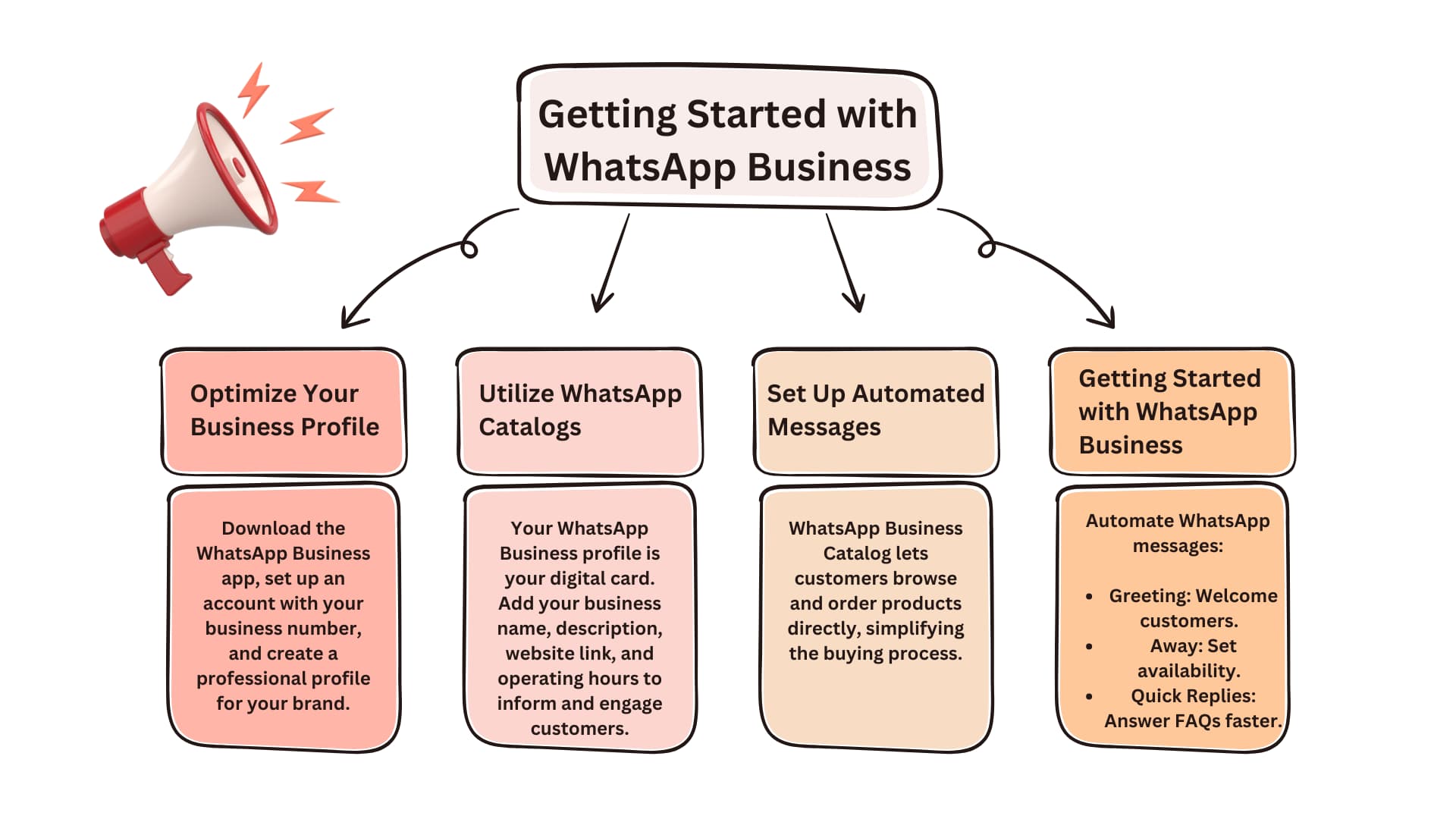
The first step is to download the WhatsApp Business app (not to be confused with the regular WhatsApp app) from the App Store or Google Play.
After downloading, create an account and provide a business phone number. Unlike personal WhatsApp, this number is tied to your business and can be linked to your business profile, giving your business a professional online presence.
Tip – Use a dedicated business phone number to keep personal and professional communications separate from day one.
Your WhatsApp Business profile serves as your digital business card. To make a great impression, ensure your profile includes:
Tip – Treat your profile like a storefront—make it informative, attractive, and customer-friendly.
The Catalog is one of WhatsApp Business’s most notable features. This enables you to display goods or services within the application itself.
Customers can view, browse, and even place orders right from your catalog, simplifying the buying process and making it easy for you to showcase new items without maintaining an external e-commerce platform.
Tip – Create a visually appealing catalog to turn browsing customers into buying customers effortlessly.
You may save time and guarantee prompt responses by using automated messaging. Here are a few essential WhatsApp message tricks:
Tip – Automate common responses to save time and ensure no customer inquiry goes unanswered.
Here are some essential WhatsApp tips and tricks that can help streamline communication and make your business operations more efficient:
WhatsApp Business allows you to organize your contacts and chats with labels. You can assign labels such as “New Customer,” “Pending Payment,” or “Completed Order” to keep track of each customer’s status. This helps you provide personalized responses and manage follow-ups effectively.
Tip – Use labels to categorize your contacts—this helps you keep your customer interactions organized and efficient.
If you have a larger business, using the WhatsApp API is a great way to automate and scale customer communications.
While the WhatsApp Business app is suitable for small businesses, the API is tailored for medium to large businesses, enabling advanced features like bulk messaging, CRM integration, and more.
By utilizing the WhatsApp API for business, you can integrate WhatsApp with other systems for enhanced customer experience and workflow automation.
Tip – Scale up your communication with the WhatsApp Business API for automated, efficient, and streamlined customer service.
Want to send updates, discounts, or promotions to multiple contacts at once? Instead of creating a group, use Broadcast Lists. Unlike groups, broadcasts maintain privacy by not showing other recipients’ contact information.
This is an ideal way to keep your customers informed about special offers and announcements without crowding their chat screens.
Tip – Send personalized updates to your customers using broadcast lists to maintain privacy while reaching a large audience.
Timing is crucial when it comes to reaching customers. Third-party apps can help you schedule messages, ensuring they reach your customers at the right time, like during peak engagement hours.
Although scheduling is not a built-in WhatsApp feature, it’s a smart workaround that can improve customer interactions and help you manage time-sensitive promotions.
Tip – Use scheduling apps to send messages at optimal times, ensuring your announcements hit when engagement is highest.
One of the most effective ways to boost sales is by creating urgency. Using WhatsApp for Business allows you to send personalized messages about flash sales, limited-time offers, and special discounts directly to your customers.
By emphasizing the limited availability or short duration of the offer, you can prompt quicker purchasing decisions and increase conversion rates.
Tip – Use WhatsApp to send time-sensitive promotions and flash sales to drive quick customer decisions.
Quick replies are a lifesaver for busy sales teams. They allow you to save frequently used responses as templates that can be sent with just a few taps.
Whether you’re answering common queries about product availability, pricing, or delivery times, quick replies help you respond faster, making customers feel valued and increasing your chances of closing the sale.
Tip – Save common responses as quick replies to answer customer queries swiftly and focus on more personalized engagement.
Visual content can be a game-changer in the sales process. Use WhatsApp to share short videos or images showcasing your products in action.
Whether it’s a demo video or a tutorial on how to use your product, providing visual guidance helps customers understand your offerings better and can lead to more informed purchasing decisions.
Tip – Use WhatsApp to send short product demo videos, showcasing your offerings and helping customers make informed buying decisions.
Keep your customers informed about new stock or limited-edition products by setting up product availability alerts.
If an item is back in stock or there’s a new launch, sending a quick WhatsApp message can get customers excited and drive immediate sales. This proactive approach keeps your customers engaged and helps reduce the chances of missing out on sales opportunities.
Tip – Notify customers about restocked items or limited availability through personalized WhatsApp messages to increase sales.
WhatsApp Status is an underrated feature for sales engagement. You can use it to share updates, highlight new products, announce special offers, or promote upcoming sales.
Since WhatsApp Status posts are visible for 24 hours, it’s an excellent way to create buzz and keep your audience informed without directly messaging them.
Tip – Post updates, discounts, and product highlights on your WhatsApp Status to keep your customers in the loop and boost sales engagement.
To get the most out of WhatsApp for your business, consider these engagement strategies:
Offering quick responses and real-time support via WhatsApp can boost customer satisfaction and loyalty. By answering queries, addressing concerns, and providing personalized recommendations, you can foster a deeper connection with customers.
Tip – Fast responses can set you apart—be quick and attentive to foster customer loyalty through WhatsApp.
Ask customers for feedback on products or services to understand their preferences better. You can create a survey form or simply ask for ratings and suggestions directly in the chat. Use this feedback to improve your offerings and customer service.
Tip – Actively seek feedback through WhatsApp to gain insights and continuously improve your services.
Customers appreciate personalized communication. Use customer data to send targeted promotions and special offers. By utilizing labels, you can categorize customers and create custom messages that resonate with each segment, making promotions feel more personalized.
Tip – Use customer data and labels to craft personalized offers that resonate with different customer segments.
Abandoned carts are a frequent problem for e-commerce companies. With WhatsApp, you can remind customers of their unpurchased items in a friendly manner, potentially turning missed opportunities into sales.
Tip – A friendly follow-up on abandoned carts can nudge customers to complete their purchase and boost your sales.
While WhatsApp Business offers a range of benefits, it’s important to avoid common pitfalls that could impact your brand’s reputation:
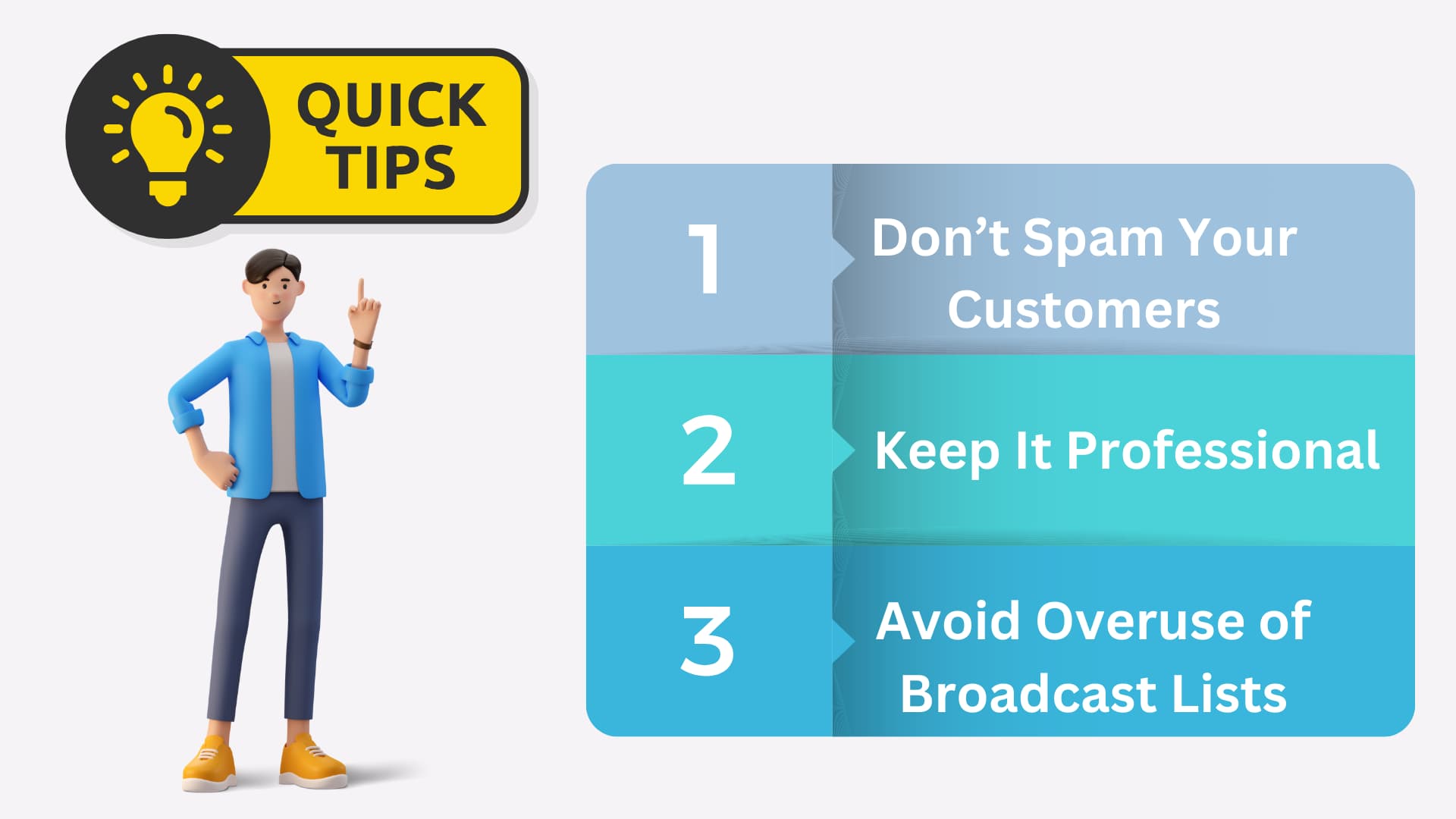
Over-messaging can lead to customer frustration. Be mindful of your messaging frequency, and only send messages when they add value to the customer.
Although WhatsApp can feel informal, remember that it represents your business. Ensure your responses are professional and on-brand at all times.
While broadcast lists are a useful tool, overusing them may make your customers feel like just another number. Make sure messages sent via broadcast are relevant to the recipient.
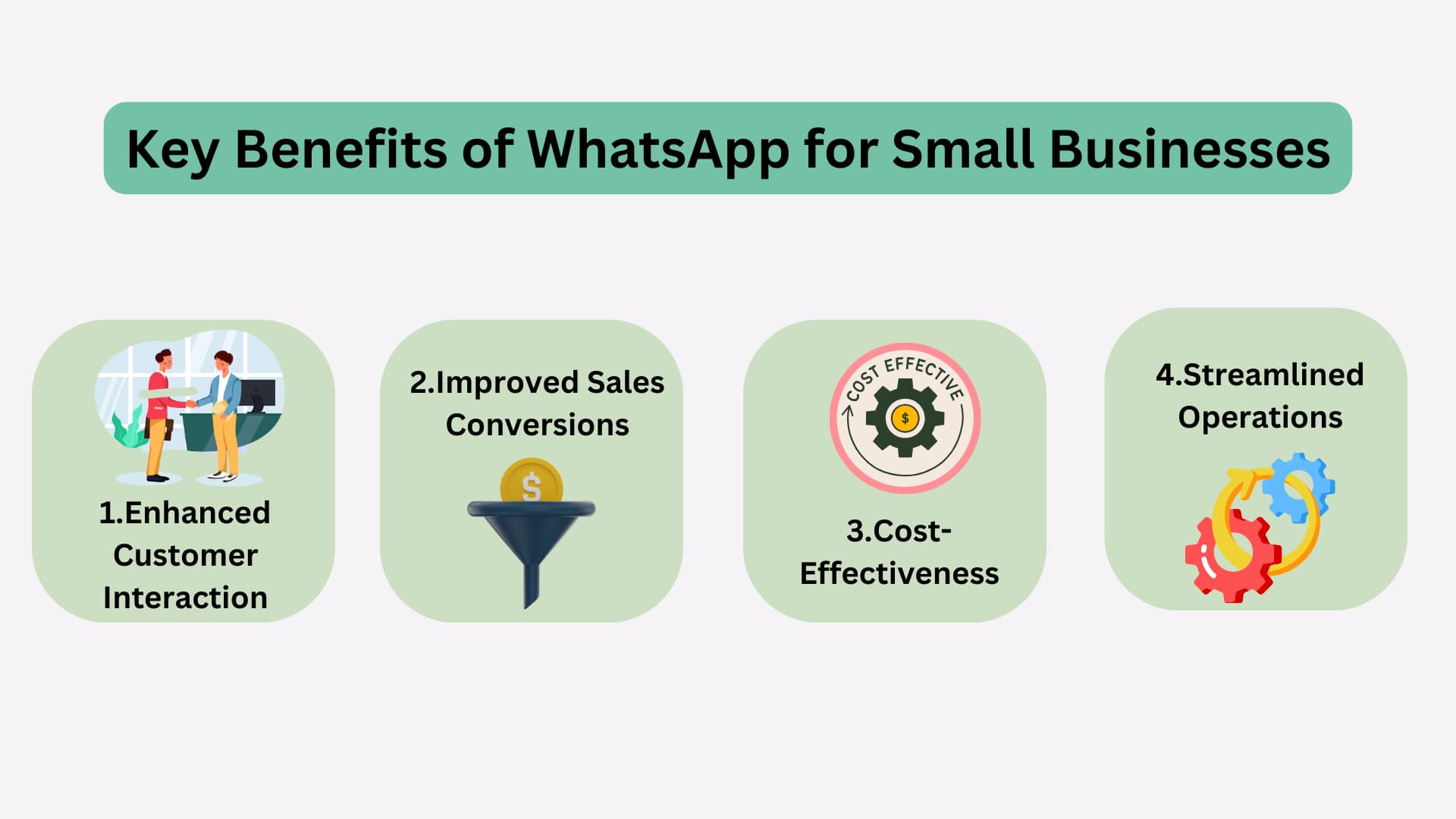
For small businesses, using WhatsApp for business offers several unique advantages:
WhatsApp’s instant messaging format allows for interactive customer conversations, making customers feel valued and heard.
The real-time communication, personalized responses, and catalog feature can lead to higher conversion rates as customers have all the information they need to make a purchasing decision.
With WhatsApp Business being free, it’s an accessible solution for businesses with limited marketing budgets. Plus, by leveraging WhatsApp Business API, larger businesses can achieve scalability in customer support and messaging.
With tools like labels, automated responses, and integration with other business applications, WhatsApp helps you streamline communication and save time.
Using WhatsApp for business is a smart and cost-effective way for small business owners to enhance customer communication and streamline operations.
By optimizing your WhatsApp Business profile, setting up automated messages, and implementing useful WhatsApp tips and tricks, you can provide a seamless, professional experience that builds customer loyalty.
The secret to success, like any tool, is how well you use it. By leveraging the features and strategies outlined in this article, you can unlock the full potential of WhatsApp as a powerful communication channel for your business.
Use the WhatsApp Business API to increase engagement and scale consumer interactions.
Using WhatsApp for business provides features like business profiles, automated messages, and product catalogs tailored to enhance customer communication.
Begin using WhatsApp for business by creating a professional profile, sharing product catalogs, and engaging with customers through personalized messages and promotions.
Quick replies are pre-saved messages that make using WhatsApp for business efficient by allowing fast responses to common customer questions.
While small businesses can benefit, using WhatsApp for business API is ideal for medium to large enterprises needing advanced features like CRM integration.
The catalog feature streamlines using WhatsApp for business by allowing customers to easily browse products and make orders directly within the app.
Yes, using WhatsApp for business includes automated greeting and away messages, plus API integrations for efficient customer interactions.

100% Lead Capture, 75% More Efficiency, 2X Engagement!
Book a free demo and see how you can close more deals, faster!


95% business who use NeoDove report 3x more profits!
Happy Customers
107k reviews


Book a free demo and see how you can close more deals, faster!

![]()
95% business who use NeoDove report 3x more profits!
Happy Customers
107k reviews

These outcomes and beyond can be yours.
Lead Leakage
Increase in call attempts
More Engagement